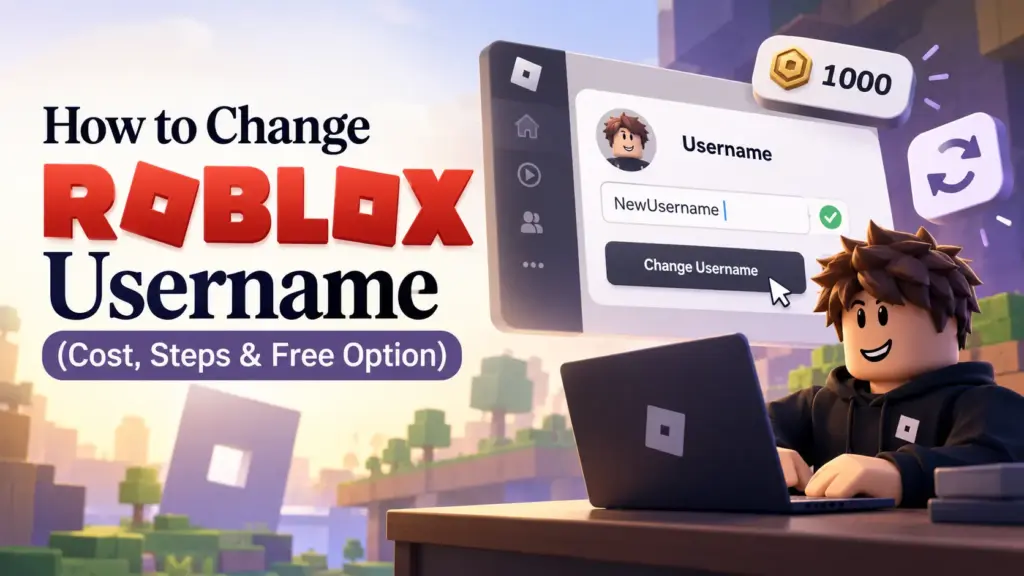
How to Change Roblox Username (Cost, Steps & Free Option)
You picked your Roblox name years ago. Now it feels childish, random, or just not you.
The good news: you can change your Roblox username. The catch: it costs Robux, and you pay again every time you change it.
That’s why it helps to know the full process before you spend anything. This guide covers the exact steps, the cost, a free option that works for most players, and how to pick a name you won’t regret.
Roblox Username vs Display Name

Most players mix these up, and it can save you 1,000 Robux.
- Username: your unique login name and profile link. No one else can have it. Changing it costs Robux.
- Display name: the name other players see in chat and games. It’s free, and other players can use the same one.
Change your display name if:
- You only want a new name in chat and games
- You want to test a name before committing
- You don’t want to spend Robux
Change your username if:
- You want a new login name and profile link
- Your current name is embarrassing or has personal info in it
- You want the same name across your gaming accounts
- You’re building a channel or brand
How Much Does It Cost to Change a Roblox Username?
It costs 1,000 Robux per change.
- No free first change
- No limit on how often you can change it
- The full 1,000 Robux applies every time
- Going back to your old name also costs Robux
Roblox shows the price on screen before you confirm. Read that screen before you pay.
What You Need Before You Start
- At least 1,000 Robux in your account
- Your current Roblox password
- A new username that isn’t taken
- A name that follows Roblox’s Community Standards
How to Change Your Roblox Username (Website)
- Log in to your Roblox account
- Click the gear icon and open Settings
- Go to the Account Info tab
- Click the pencil icon next to your username
- Enter your new username
- Enter your current password
- Confirm the Robux payment
Your name updates right away and 1,000 Robux is deducted. Log in with the new username from now on. Your email still works too.
How to Change Your Roblox Username (Mobile App)
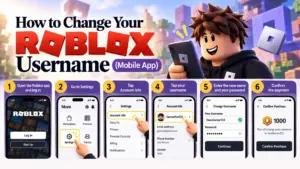
- Open the Roblox app and log in
- Go to Settings
- Tap Account Info
- Tap your username
- Enter the new name and your password
- Confirm the payment
The steps match the website. If you can’t find the option in the app, log in through a browser and use the website steps.
How to Change Your Roblox Display Name for Free
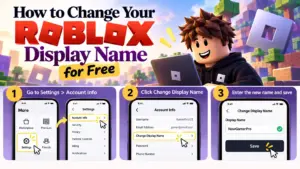
- Go to Settings > Account Info
- Click Change Display Name
- Enter the new name and save
Things to know:
- You can change it once every 7 days
- Your username and login stay the same
- Other players can use the same display name
- Roblox’s rules still apply to it
Before You Pay: What to Do First
Getting the name wrong means paying 1,000 Robux again. Do these first:
- Pick the name before you open Settings
Don’t decide at the payment screen. Shortlist three or four options first. - Choose a name you’ll keep
Skip meme names and trends. If you won’t like it in two years, pick another. - Keep it short and easy to type
Two connected words read better than a word plus five random digits. - Check availability
A username used by another account can’t be selected. Have backups ready. - Avoid personal info
No full name, phone number, address, or school in your username. - Test it as a display name first
Set it as your free display name for a week. If you still like it, then pay for the username.
Simple Ways to Build a Good Username
Not sure what to pick? Use one of these formulas:
- Adjective + noun: SilentWolf, FrostRaven
- Color + object: CrimsonMoon, SilverFox
- Theme + power word: LunarVex, ShadowNova
- Short invented name: Zyro, Vexo, Kairo
- Word + short number: Nova21, Vex7
Try to avoid long strings of random numbers. A clean two-word name usually looks better and is easier for friends to remember.
Why Roblox Won’t Accept Your New Username
- Someone already has it
- Roblox filtered the name
- It contains personal info
- You don’t have enough Robux
- The password was entered wrong
If your first pick is taken, try one of these:
- Swap the word order (NovaShadow instead of ShadowNova)
- Add a short second word
- Add a single digit or an underscore
- Replace one word with a similar one
Common Mistakes to Avoid
- Paying before checking if the name is available
- Picking a name in a rush, then paying again a month later
- Confusing display name with username
- Using personal info in the new name
- Sharing your password with sites that promise a free username change
Scam Warning
Some websites and videos promise free username changes or free Robux. Stay away from:
- Sites that ask for your password
- Free Robux generators
- Anyone offering to change your name for you
- Links sent by strangers in games or chat
Roblox only asks for your password on its official login page. If you shared your login with a suspicious site, change your password right away.
After You Change Your Username
Your account stays the same. Only the name changes. Update it anywhere you shared it, like Discord, social media bios, or group descriptions, so friends can still find you.
Where to Find a Good Roblox Username Fast
Don’t waste Robux on a name you’re unsure about.
Our Roblox username generator creates fresh ideas in seconds. Our list of cool Roblox usernames has hundreds of names across cool, cute, funny, aesthetic, and unique styles.
Scan a category, copy a name you like, and check it before you buy.
FAQs
- How do I change my Roblox username?
Go to Settings > Account Info, click the pencil icon next to your username, enter the new name and your password, and pay 1,000 Robux. - How much does it cost to change a Roblox username?
1,000 Robux each time. - Can I change my Roblox username for free?
No. Only the display name is free. - How often can I change my Roblox display name?
Once every 7 days. - Can I change my username on mobile?
Yes. Use Settings > Account Info in the Roblox app. - Can I use a username someone else already has?
No. Usernames are unique to one account. - Will I lose my items or friends after changing my username?
No. Only your name changes. - What’s the difference between a username and a display name?
The username is your unique login name. The display name is a nickname that other players can also use.