How to Change My Minecraft Username
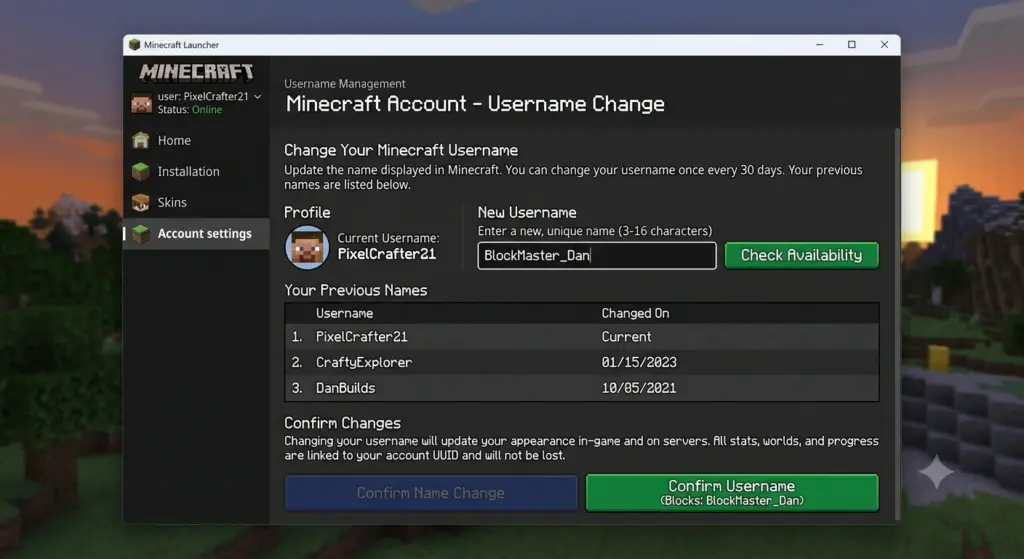
Yes, you can change your Minecraft name, but the process depends on which edition you play. On Minecraft: Java Edition, you change your Java profile name through your Minecraft account. On Minecraft: Bedrock Edition, your in-game name is generally your Xbox gamertag, so you change the gamertag associated with your Microsoft/Xbox account. Java profile names can be changed once every 30 days.
Quick Answer
If you play Minecraft Java Edition, sign in to your Minecraft account, go to All Games → Minecraft: Java Edition → Change Profile Name, enter your new name, and confirm it.
If you play Minecraft Bedrock Edition, you generally need to change your Xbox gamertag instead.
Before choosing a new name, it’s also worth checking whether your Minecraft username is taken so you don’t settle on a name that’s unavailable.
How to Change Your Minecraft Username on Java Edition
Changing a Java Edition username doesn’t require you to purchase Minecraft again or create a new account.
Step 1: Sign in to your Minecraft account
Open the official Minecraft website and sign in using the Microsoft account associated with your Minecraft Java Edition account.
Make sure you’re using the correct Microsoft account. If you have multiple Microsoft accounts, signing into the wrong one can make it appear that your Minecraft profile or game is missing.
Step 2: Open your Minecraft Java profile
After signing in, navigate to your games/account area and locate Minecraft: Java Edition.
Look for the option to Change Profile Name.
Minecraft’s official support documentation provides the current instructions for changing a Java profile name.
Step 3: Enter your new username
Type the Minecraft username you want to use.
Before submitting it, check:
- Spelling
- Capitalization
- Character count
- Whether you actually want to keep the name
- Whether the name meets Minecraft’s requirements
Java profile names are limited to 16 characters.
If you’re unsure about the character requirements, you can learn more about Minecraft username length and character limits before choosing your final name.
Step 4: Confirm the change
Once you’re satisfied with the name, confirm the profile-name change.
Your new Java profile name should then be associated with your Minecraft profile.
If your Launcher still displays the old information, restarting the Launcher or signing out and back in can help refresh the account information.
How Often Can You Change Your Minecraft Username?
For Minecraft Java Edition, you can change your profile name once every 30 days.
For example, if you change your name on October 4, you shouldn’t expect to be able to change it again immediately.
Important
Don’t change your name impulsively.
If you choose something you don’t like, you may have to wait until the 30-day period has passed before making another change.
Minecraft also states that you can change back to a previous Java profile name after the applicable waiting period, provided the name is available.
If you haven’t decided on a name yet, it’s better to explore several options before making the change.
How to Change Your Minecraft Username on Bedrock
Minecraft Bedrock Edition works differently from Java Edition.
On Bedrock, the name other players see is generally your Xbox gamertag.
Therefore, if you want to change your Bedrock Minecraft name, you generally need to change your Xbox gamertag associated with your Microsoft account.
The basic process is:
- Sign in to your Microsoft/Xbox account.
- Open your Xbox profile.
- Select your gamertag.
- Choose the option to change it.
- Enter your new gamertag.
- Follow Microsoft’s instructions to confirm the change.
Your new gamertag can then appear as your name in Minecraft Bedrock.
Minecraft Username vs Xbox Gamertag
This distinction is important because many players search for “how to change my Minecraft username” when they actually mean their Xbox gamertag.
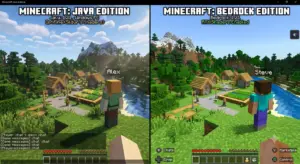
| Feature | Java Edition | Bedrock Edition |
|---|---|---|
| Main in-game name | Java profile name | Xbox gamertag |
| Account system | Microsoft account | Microsoft/Xbox account |
| Where name is changed | Minecraft profile | Xbox profile |
| Java profile-name limit | 16 characters | Xbox gamertag rules apply |
| Same name required? | No | Gamertag is used |
Minecraft’s official documentation distinguishes the Java profile name from the Xbox gamertag.
Can You Change Your Minecraft Username for Free?
For Java Edition, changing your profile name is different from buying a new Minecraft account.
However, Bedrock gamertag changes are governed by Xbox/Microsoft’s gamertag policies, so don’t assume that Java’s username-change rules apply to Bedrock.
The important thing is to identify your Minecraft edition before trying to change your name.
How Many Characters Can a Minecraft Username Have?
A Minecraft Java profile name can contain up to 16 characters.
This makes character count an important consideration when creating a new Java username.
For example:
ShadowCraft— short enoughPixelKnight— short enoughDarkMinecraftPlayer— too long for a Java profile name
If you’re creating a username specifically for Minecraft, keeping it short and memorable can also make it easier for friends to recognize.
For more detailed information about the character limit and naming rules, see our guide to how long a Minecraft username can be.
Why Can’t I Change My Minecraft Username?
There are several reasons you may not be able to change your name.
1. You’re playing Bedrock
If you’re on Bedrock, you’re probably looking for a Java profile-name option that doesn’t apply to your edition.
Check your Xbox gamertag instead.
2. You changed your Java name recently
Java profile names have a 30-day change interval.
If you’ve already changed your name, you may need to wait.
3. You’re using the wrong Microsoft account
If you have multiple Microsoft accounts, make sure you’re signed into the account connected to your Minecraft purchase/profile.
4. Your desired name isn’t available
The username you want may already be unavailable or may not satisfy Minecraft’s current requirements.
Try another variation rather than repeatedly submitting the same name.
Does Changing Your Minecraft Username Delete Your Worlds?
No, changing your Java profile name isn’t the same thing as creating a new Minecraft account.
A username change changes the name associated with your existing Java profile. You aren’t creating a new Minecraft purchase simply because you changed your profile name.
However, Minecraft worlds can be stored locally or associated with particular devices/accounts, so you should never delete game data simply because you’re changing your name.
Does Changing Your Minecraft Username Delete Your Progress?
Changing your username shouldn’t be treated as starting Minecraft from scratch.
Your profile name is a name associated with your existing account/profile rather than a completely new Minecraft purchase.
However, individual multiplayer servers can have their own systems for tracking players, statistics, ranks, inventories, or permissions.
Server-specific behavior can therefore vary.
Can I Change My Minecraft Username Back?
For Java Edition, Minecraft states that you can change back to a previous profile name after the applicable waiting period, assuming the name is available.
That’s another reason to think carefully before selecting a new name.
If you aren’t completely sure about your new username, consider brainstorming several options first.
How to Choose a Good Minecraft Username
A good Minecraft username should be:
- Easy to remember
- Easy to spell
- Distinctive
- Appropriate for multiplayer
- Short enough to be recognizable
- Something you’ll still like later
If you need more guidance, our guide on how to choose a good Minecraft username can help you evaluate different naming styles and choose something that fits your personality.
You can also create different username styles depending on your gaming personality.
PvP Style
- ShadowStrike
- VoidHunter
- FrostBlade
Cute Style
- MochiBee
- PixelBunny
- CozyCube
Aesthetic Style
- LunarMist
- VelvetPixel
- CloudNova
If you want to generate more options quickly, try our Minecraft username generator to explore different combinations and naming styles.
Java vs. Bedrock: Which Name Do You Need to Change?
Use this quick decision guide:
If you play Java Edition:
Change your Java profile name.
If you play Bedrock Edition:
Change your Xbox gamertag.
If you’re not sure:
Check which edition you’re playing before changing anything.
This is the most important distinction when searching for how to change my Minecraft username.
Frequently Asked Questions
How do I change my Minecraft username?
For Java Edition, sign into your Minecraft account and use the Change Profile Name option for Minecraft: Java Edition.
For Bedrock, your in-game name is generally your Xbox gamertag.
Can I change my Minecraft username whenever I want?
No. Java profile names have a 30-day interval between changes.
How do I change my Minecraft username on Java?
Sign into your Minecraft account, open your Minecraft Java profile, select Change Profile Name, enter your new name, and confirm the change.
How do I change my Minecraft username on Bedrock?
Bedrock uses your Xbox gamertag as your in-game name, so you generally need to change your Xbox/Microsoft gamertag.
What is the maximum Minecraft Java username length?
Minecraft Java profile names can contain up to 16 characters.
Can I change my Minecraft username without buying Minecraft again?
Changing your Java profile name doesn’t require creating a new Minecraft purchase.
Will I lose my Minecraft worlds if I change my username?
A Java profile-name change isn’t the same as creating a new Minecraft account. Your local worlds aren’t automatically deleted simply because you changed your profile name.
Can I change my Minecraft username back?
For Java Edition, Minecraft says you can return to a previous profile name after the applicable waiting period if the name is available.
Why is my Minecraft username not changing?
Check whether you’re using Java or Bedrock, whether you’ve recently changed your name, whether you’re signed into the correct Microsoft account, and whether your desired name meets the applicable requirements.
Key Takeaways
If someone asks “how to change my Minecraft username?”, the shortest accurate answer is:
- Java: Change your Java profile name through your Minecraft account.
- Bedrock: Change your Xbox gamertag.
- Java limit: Up to 16 characters.
- Java change interval: 30 days.
The biggest mistake is confusing a Minecraft Java profile name with an Xbox gamertag.
Once you know which Minecraft edition you’re using, choosing the correct method is straightforward. Before changing your name, check availability, review the character requirements, and choose a username you’re likely to keep.