Can You Change Your Minecraft Username?
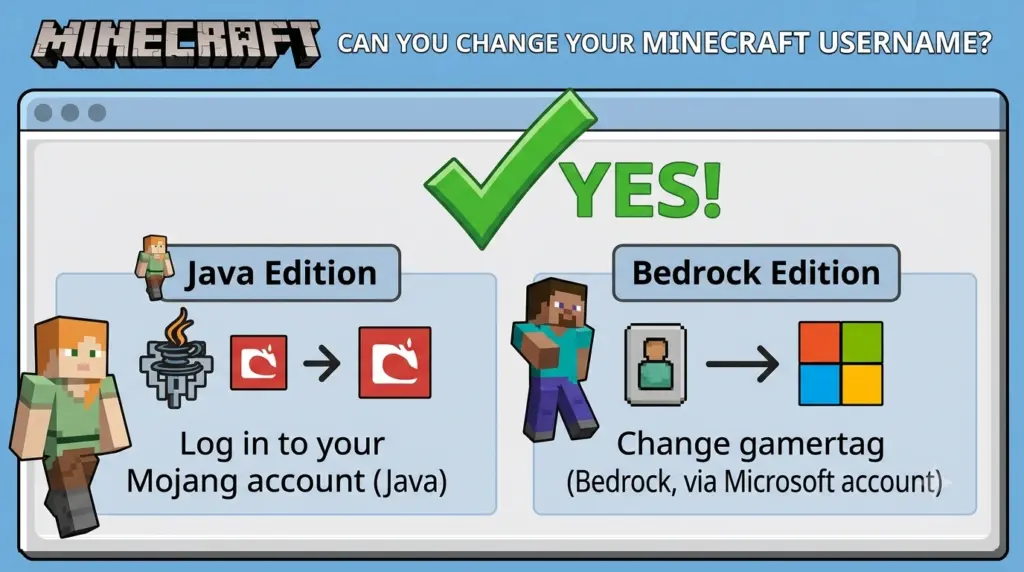
Yes, you can change your Minecraft username. However, the exact process depends on whether you play Minecraft Java Edition or Bedrock Edition.
For Java Edition, your in-game name is your Java profile name. You can change it through Minecraft.net by signing in with your Microsoft account and selecting Change Profile Name. Java profile names can be up to 16 characters, and Minecraft currently allows you to change the name once every 30 days.
For Bedrock Edition, your in-game name is generally your Xbox/Microsoft gamertag, so you change the gamertag rather than the Java profile name.
Quick Answer: Can You Change Your Minecraft Username?
| Minecraft version | Can you change the name? | Where? | Important limit |
|---|---|---|---|
| Java Edition | Yes | Minecraft.net | Once every 30 days |
| Bedrock Edition | Yes | Xbox/Microsoft account | Gamertag rules apply |
| Nintendo Switch | Yes | Nintendo account settings | Platform-specific |
| PlayStation | Yes | PSN/Microsoft account | Depends on account setup |
The key difference is that Java Edition uses a Java profile name, while Bedrock generally uses the Xbox/Microsoft gamertag associated with your account.
How to Change Your Minecraft Username on Java Edition
If you play Minecraft Java Edition, changing your username is straightforward.
Step 1: Go to Minecraft.net
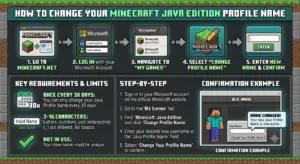
Visit Minecraft.net and sign in with the Microsoft account associated with your Minecraft Java Edition account.
Make sure you’re using the correct Microsoft account. If you have multiple Microsoft accounts, signing into the wrong one can make it appear that your Minecraft profile or game is missing.
Step 2: Find Minecraft Java Edition
After signing in:
- Open All Games.
- Find Minecraft: Java Edition.
- Select Change Profile Name.
This is the profile setting used to change your Java Edition name.
Step 3: Enter Your New Username
Enter the Minecraft username you want to use.
Before confirming the change, check:
- Spelling
- Capitalization
- Character count
- Whether you actually want to keep the name
- Whether the name meets Minecraft’s requirements
Java profile names can contain up to 16 characters.
If you’re unsure about the character limit, see our guide explaining how many characters a Minecraft username can have before choosing your final name.
Step 4: Confirm the Change
Once you’ve entered an acceptable username, select the option to confirm the profile-name change.
Your new Java profile name will then be associated with your existing Minecraft profile.
If the Minecraft Launcher continues showing your old name, restarting the Launcher or signing out and signing back in can help refresh your account information.
How Often Can You Change Your Minecraft Username?
For Minecraft Java Edition, you can change your profile name once every 30 days.
This means you should choose your new username carefully.
For example:
Old name: PixelMiner
New name: ShadowMiner
After changing to ShadowMiner, you’ll need to wait before making another Java profile-name change.
Can You Change Back to Your Old Username?
Yes. Minecraft’s Java profile-name system allows you to return to a previous profile name after the applicable waiting period, provided the name is available.
Because of this waiting period, it’s better to consider several options before committing to a new username.
If you want inspiration before making your decision, check out these unique Minecraft usernames for 2026.
How to Change Your Minecraft Username on Bedrock
Bedrock Edition works differently from Java.
When playing Minecraft Bedrock Edition with a Microsoft account, your in-game name is generally the Xbox/Microsoft gamertag associated with your account.
To change it online, the basic process is:
- Sign in to your Microsoft/Xbox account.
- Open your Xbox profile.
- Select your gamertag.
- Choose the option to edit or change it.
- Enter your new gamertag.
- Follow Microsoft’s instructions to confirm the change.
Your new gamertag can then appear as your name in Minecraft Bedrock.
Important: Don’t confuse a Bedrock gamertag with a Java profile name. They are separate naming systems.
Minecraft Username vs. Gamertag
This is one of the biggest sources of confusion for Minecraft players.
Java Edition
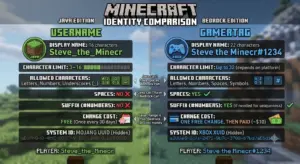
Your Minecraft name is your Java profile name.
Bedrock Edition
Your Minecraft name is generally your Xbox/Microsoft gamertag when you’re playing with a Microsoft account.
So if you’re searching for “how to change Minecraft username Java,” you need the Java profile-name settings.
If you’re searching for “how to change Minecraft username Bedrock,” you’re generally looking for the Xbox gamertag settings.
How Many Characters Can a Minecraft Username Have?
A Minecraft Java profile name can be up to 16 characters long.
This is important when creating a new username because a name longer than the allowed limit won’t work as a Java profile name.
For example:
ShadowCraft— 11 charactersMinecraftPro— 12 charactersUltimateMinecraftPlayer— too long for the 16-character Java limit
If you’re struggling to find a short name that you like, try combining words, abbreviations, or numbers.
You can also use a Minecraft username generator to create different combinations and find ideas that fit the character limit.
What Happens When You Change Your Minecraft Username?
Changing your Java profile name doesn’t mean you’re creating a completely new Minecraft account.
You’re changing the profile name associated with your existing Java account.
Your Minecraft account itself remains the same.
This is different from creating an entirely new Microsoft account, which can result in a separate Minecraft account and separate account-related data.
A username change should therefore be thought of as changing the name displayed for your existing profile rather than starting Minecraft over.
Can You Change Your Minecraft Username Without Buying Minecraft Again?
Yes.
You don’t need to purchase Minecraft again simply because you want to change your Java profile name.
You can change the Java profile name through your existing Minecraft account, subject to Minecraft’s rules and the applicable waiting period.
Creating an entirely new Microsoft account, however, is a different situation and can result in a separate Minecraft account.
Why Can’t I Change My Minecraft Username?
If the username-change option isn’t working, check these possibilities.
1. You Changed Your Name Less Than 30 Days Ago
Java profile names have a 30-day change interval.
If you’ve already changed your name recently, you may need to wait before changing it again.
2. You’re Playing Bedrock
If you’re on Bedrock, you generally need to change your Xbox/Microsoft gamertag instead of looking for the Java profile-name setting.
3. You’re Using the Wrong Microsoft Account
Make sure you’ve signed into the Microsoft account associated with the Minecraft account you’re actually using.
If you have multiple Microsoft accounts, this is especially important.
4. Your New Name Doesn’t Meet the Requirements
Java profile names have a maximum length of 16 characters.
A username that doesn’t satisfy the applicable naming requirements may not be accepted.
5. You’re Looking at the Wrong Profile Setting
Your Microsoft account name, Xbox gamertag, Java profile name, and platform-specific profile names aren’t necessarily the same thing.
Make sure you’re changing the correct name for your Minecraft edition.
Can You Change Your Minecraft Username on Nintendo Switch?
Nintendo Switch uses its own platform-specific account system.
Depending on how Minecraft is configured on the console, the name displayed can be connected to the Nintendo account and/or Microsoft account you’re using.
If you’re playing Minecraft on Nintendo Switch and want to change your displayed name, check the account currently connected to Minecraft before making a change.
Can You Change Your Minecraft Username on PlayStation?
PlayStation also has platform-specific account settings.
Depending on your Minecraft and Microsoft account setup, your displayed name can be associated with your PlayStation account or Xbox/Microsoft gamertag.
If you’re using Minecraft on PlayStation, check which account is currently determining your in-game name before changing it.
Java vs. Bedrock: Which Username Can You Change?
| Feature | Java | Bedrock |
|---|---|---|
| In-game name | Java profile name | Xbox/Microsoft gamertag |
| Change location | Minecraft.net | Xbox/Microsoft account |
| Maximum Java profile name | 16 characters | Gamertag rules apply |
| 30-day Java cooldown | Yes | Not the Java system |
| Uses Microsoft account | Yes | Yes |
| Same system as Java? | — | No |
The key takeaway is simple:
Java uses a Java profile name, while Bedrock generally uses the Xbox/Microsoft gamertag.
Quick Answers
Can I change my Minecraft username?
Yes. Minecraft Java Edition players can change their Java profile name through Minecraft.net. Bedrock players generally change their Xbox/Microsoft gamertag instead.
How do I change my Minecraft username?
For Java, sign in to Minecraft.net, open All Games, find Minecraft Java Edition, select Change Profile Name, enter the new name, and confirm the change.
How often can I change my Minecraft Java username?
You can change your Minecraft Java profile name once every 30 days.
What is the Minecraft Java username limit?
Minecraft Java profile names can be up to 16 characters.
Is a Minecraft username the same as a gamertag?
No. Java Edition uses a Java profile name, while Bedrock generally uses the Xbox/Microsoft gamertag associated with the account.
Can I change my Minecraft username back?
Yes. For Java Edition, you can return to a previous profile name after the applicable waiting period if the name is available.
Do I lose my Minecraft account when I change my username?
No. Changing your Java profile name is different from creating a new Microsoft account.
Final Takeaway
So, can you change your Minecraft username? Yes.
The method depends on the Minecraft edition you’re playing:
- Java Edition: Change your Java profile name through Minecraft.net.
- Bedrock Edition: Change your Xbox/Microsoft gamertag.
- Java profile-name limit: Up to 16 characters.
- Java change interval: 30 days.
If you’re choosing a new name, check its availability first, make sure it fits Minecraft’s requirements, and think about whether you’ll still like it after a few weeks.
If you need more ideas, you can use our Minecraft username generator to explore different styles before making your final choice.